UX Ray
overview
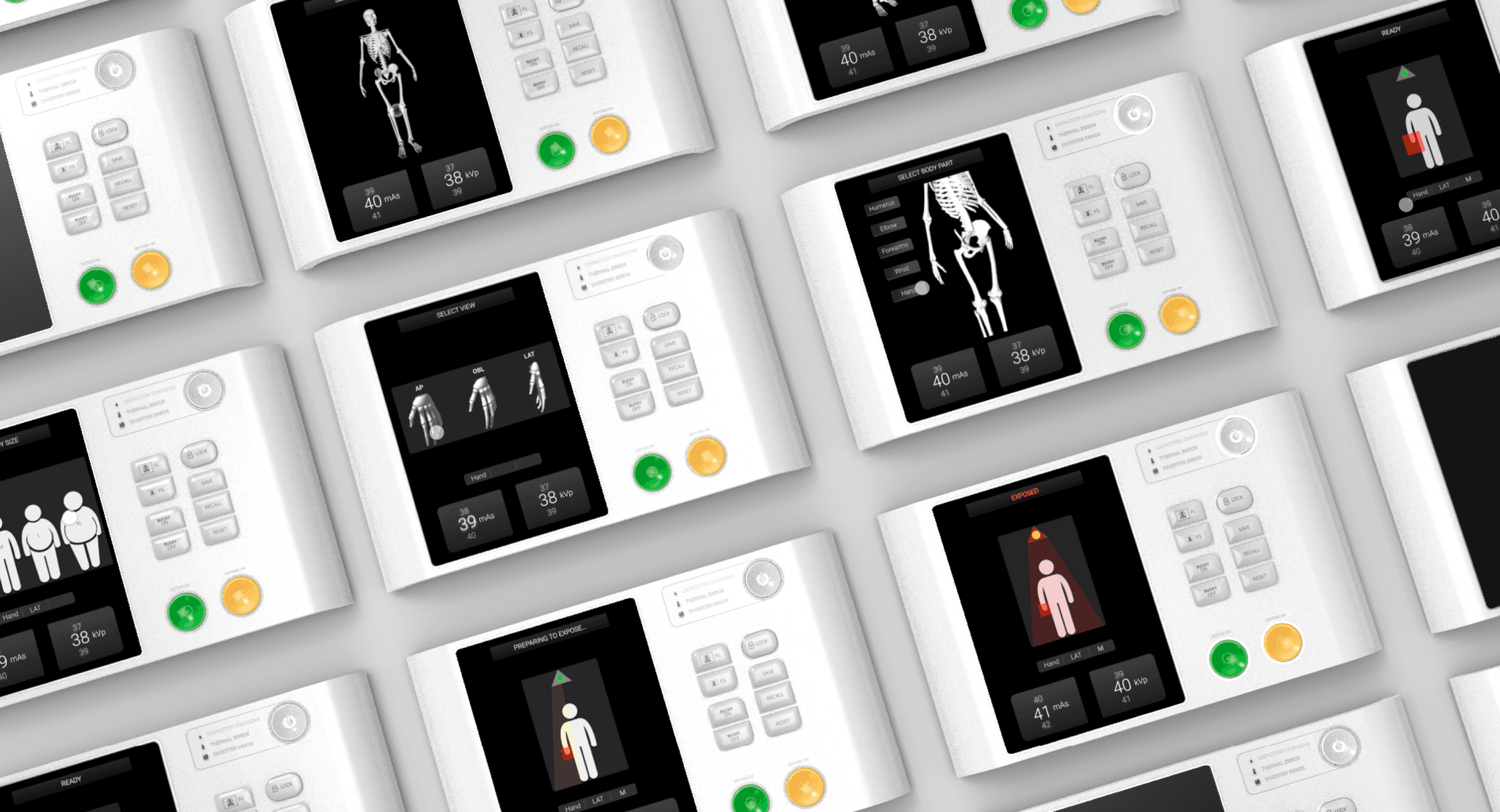
UX Ray is an Adonis X-ray device interface redesign project focused on simplifying display and control interactions. By improving information hierarchy and usability, the project aims to reduce cognitive load and create a more intuitive, efficient, and seamless experience for healthcare professionals.

year
2020
role
UX Design
institute
National Institute of
Design, Harayan
Problem Statement
The existing X-ray device interface places a high cognitive load on healthcare professionals, with complex controls and unclear information hierarchy increasing the risk of selecting incorrect exposure parameters, potentially compromising patient safety. Poor legibility in low-light environments further impacts usability, making interactions difficult and error-prone. These challenges highlight the need for a clearer, more intuitive interface designed around the operational environment and safety-critical nature of medical workflows.
About Device
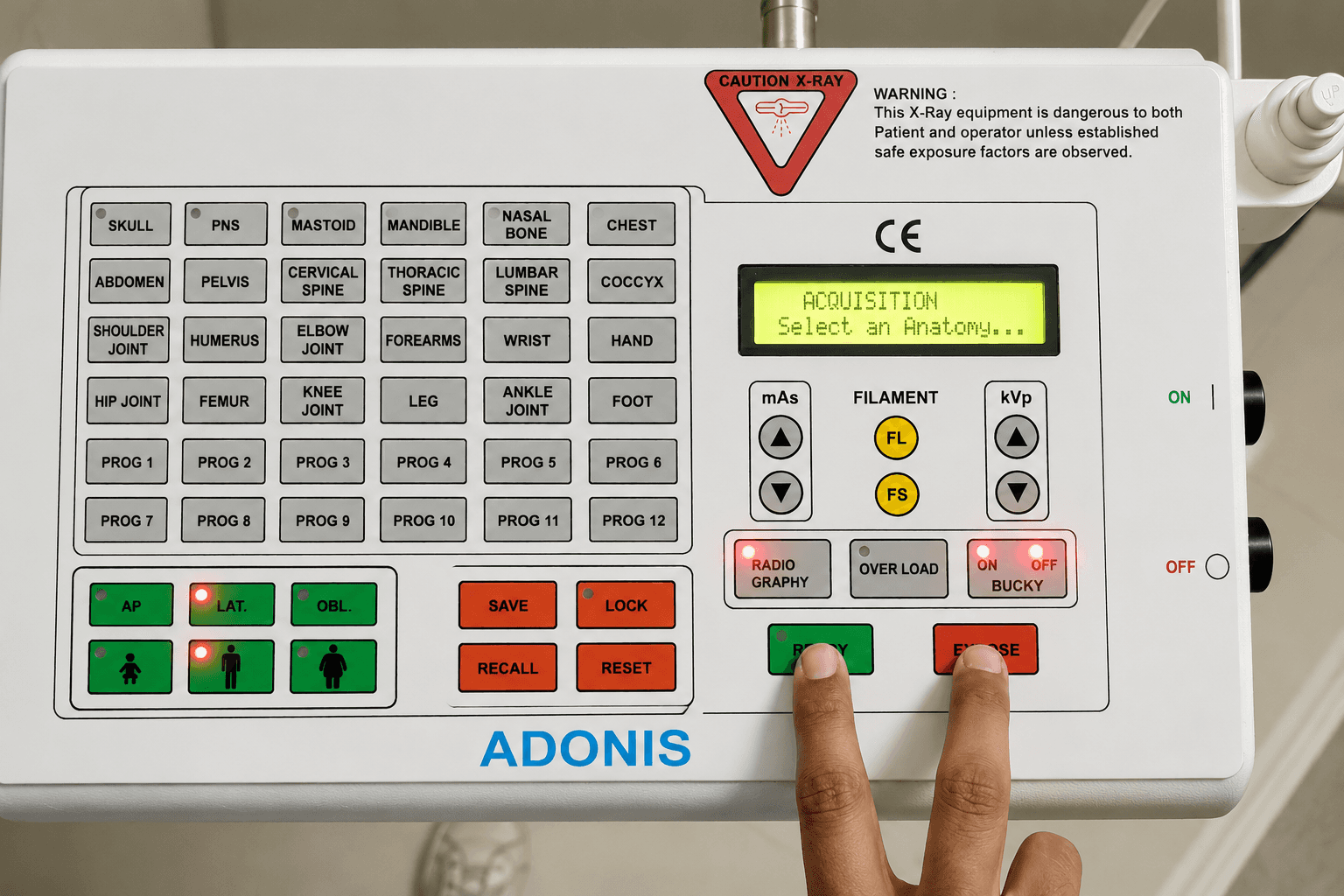
The X-ray device is used to set radiographic factors like Milliampere seconds (mAs) and kiloVolt peak (kVp). These settings determine the quality and quantity of X-ray photons emitted by the machine based on the specific body part, body type, and body view being X-rayed.


User Flow Mapping
The user's workflow was mapped by designing a newer, efficient research tool. This involves taking a printed paper on which the device is structured with a few markers in hand. Now stand beside the user as they work, observing their interaction carefully as they press multiple buttons and glance left and right, and out of the device.
Then follow the user's path on your paper by using the marker. Doing this multiple times and mapping 25 to 30 interactions resulted in highlighting a majorly used path by the user. This research tool helped map the flow quickly, simply by standing beside the user and observing them at work.
“Most time taking act is finding the body part buttons”
“Automatic settings are not efficient as a lot of times i have to change it manually in the end”
“Controls are not visible in dark”


Usability analysis
A usability analysis was conducted across the complete user journey of the X-ray device, evaluating each interaction against established heuristic principles. The assessment focused on identifying usability gaps in navigation, information hierarchy, system feedback, error prevention, and control accessibility.
By mapping these issues to different stages of the workflow, the analysis revealed opportunities to reduce cognitive load, minimise operational errors, and improve interaction efficiency. These findings formed the foundation for redesigning a safer, more intuitive, and user-centred interface.
The usability analysis revealed poor discoverability, unnecessary functions, weak visual hierarchy, and illegible controls. Inefficient interactions increased cognitive load, while unclear access to critical settings raised the risk of incorrect parameter selection. These findings highlighted the need for simplified workflows, improved legibility, and better error prevention.

Mental Model of Device
Mapping the mental modal of the device derived from the user flows and task analysis helped in designing the visual hierarchy and flow of the device. The mental model of a device refers to the user's internal understanding of how the system works. When designing, it’s crucial to align the device’s functionality with users' expectations. A well-constructed mental model enhances usability, as users can predict how to interact with the system leading to fewer errors and a smoother experience. This is essential for complex devices like X-ray machines, where intuitive controls and feedback are critical for efficient and accurate operation.

Ideation
The ideation focused on simplifying the X-ray device's workflow by rethinking information hierarchy, control placement, and interaction flows. Concepts explored prioritising frequently used functions, improving visibility of critical parameters, and reducing unnecessary steps. The goal was to minimise cognitive load, prevent selection errors, and enable faster, safer, and more intuitive interactions.

UX Ray
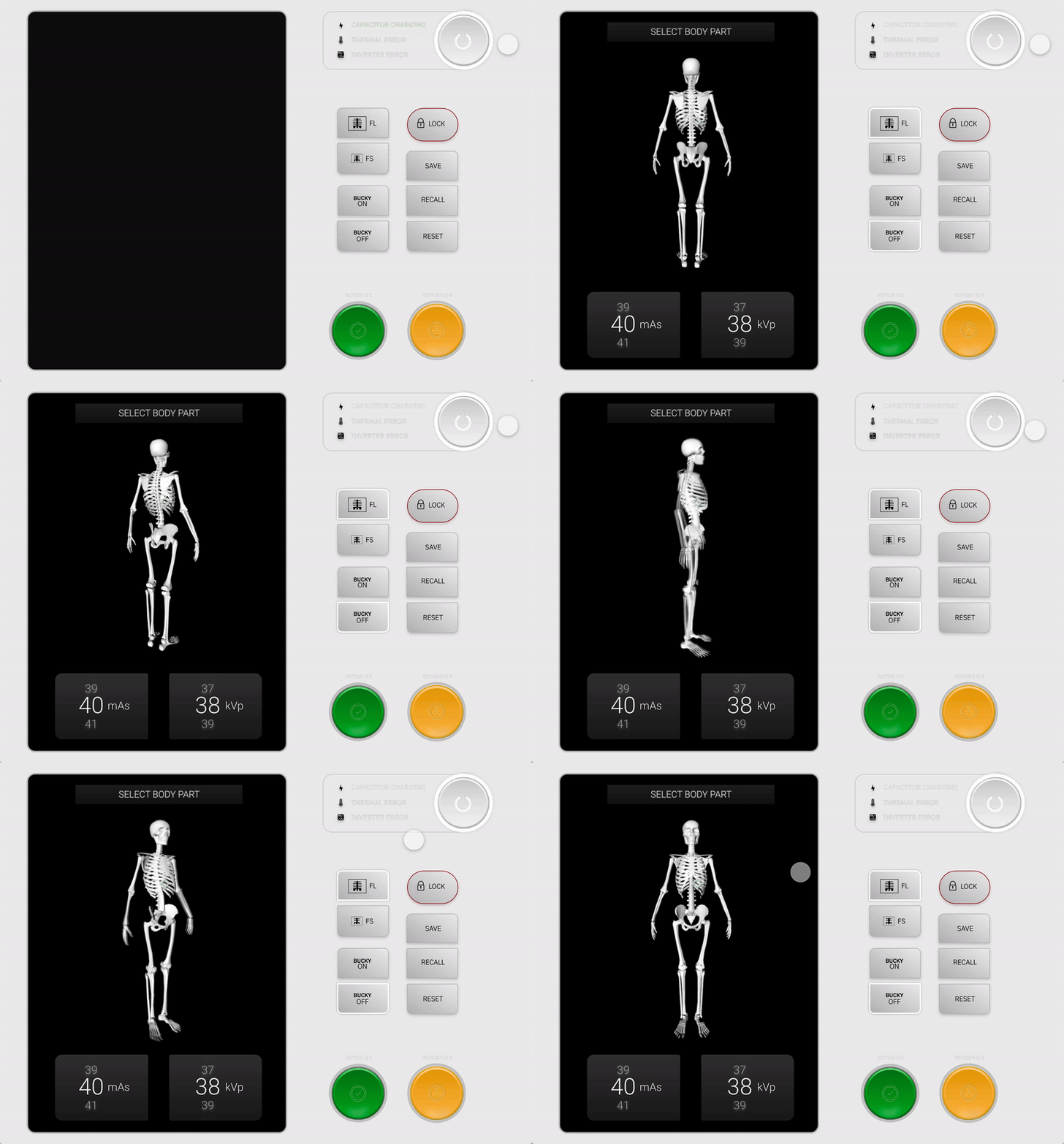
The X-ray device features an interactive 3D skeleton, allowing users to easily select specific body parts for scanning. The power button is intuitively grouped with status indicators, providing a quick reference during operation. Loading indicators keep users informed of system status, while the scroll interaction simplifies adjusting higher numerical values. The design reflects the mental modal of the device that is understood through the indepth research.


Connected Cooking Experience
In our product, the app is designed to extend the cooking experience beyond the physical air fryer. We didn't want it to function simply as a remote control, but as a connected ecosystem that brings together cooking inspiration, decision-making, and device control.
Users can discover recipes, explore what they can cook, and send cooking instructions directly to the air fryer without manually setting time or temperature. The app translates recipe requirements into device actions, reducing the gap between deciding what to cook and actually cooking it.
The goal was to make the technology feel less like an additional interface to manage and more like a natural extension of the cooking process.


gauravilad.design@gmail.com
Bengaluru, Karnataka
@2026